
SLS Guide
Follow this step-by-step guide to access and use the Student Learning Space (SLS) for your assigned lessons.
Last updated on 17 August 2026
SLS Guide
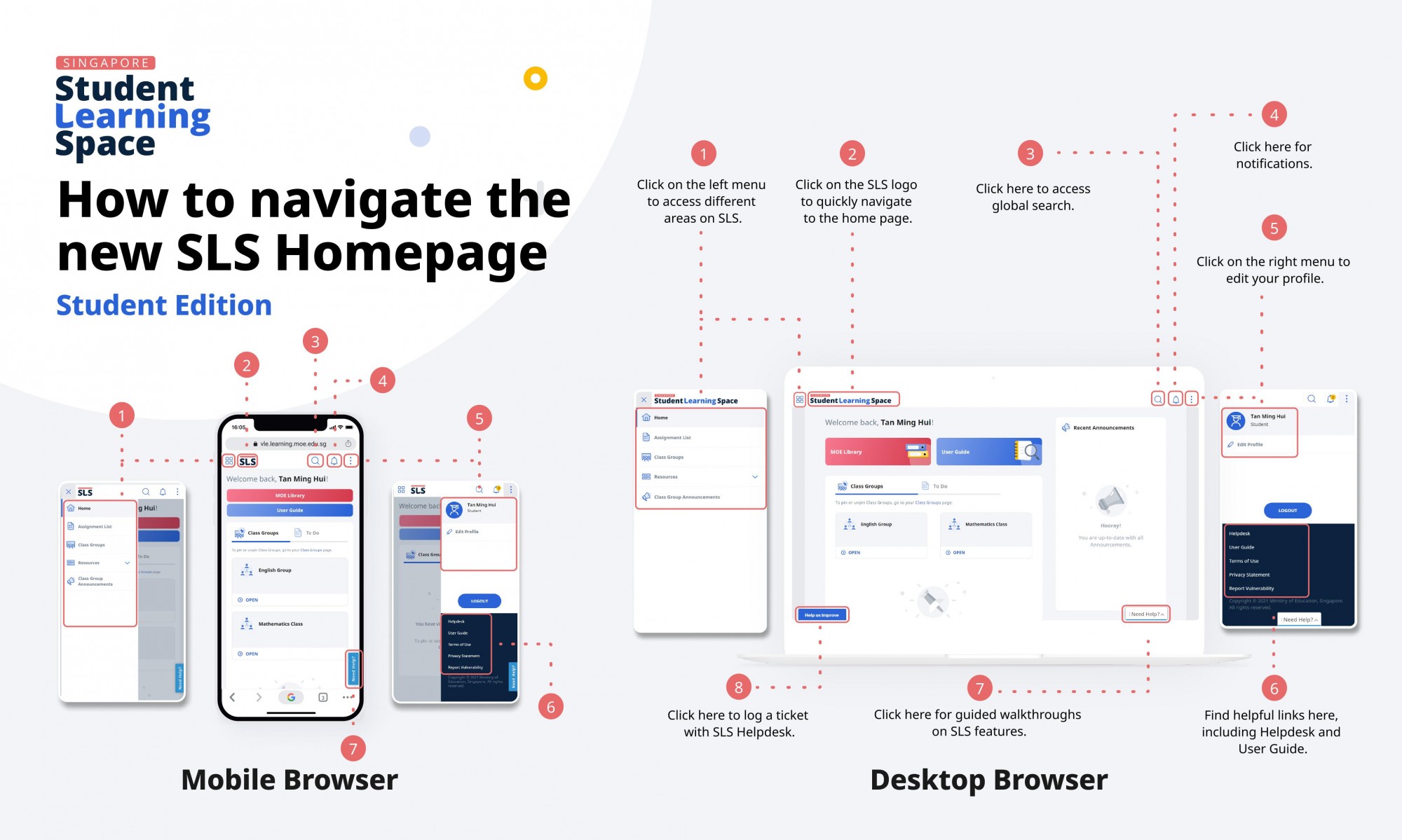
STEP 1
To start, please go to the following website:
http://vle.learning.moe.edu.sg (opens in new tab)
STEP 2
Please ensure your computer system meets the requirement as in the Login Troubleshooting Link (opens in new tab)under 'login Troubleshooting tips'
STEP 3
To view your assigned lessons, click onMy Assignments [PDF, 1.08 MB] (opens in new tab)
Student E-Poster for Navigation on SLS [PDF, 3.11 MB] (opens in new tab)
Note:
You should rest your eyes after every 30 minutes of using the computer/computing devices.
You should complete all the online tasks.