Student iCON
Find out how to set up and use Student iCON, a Google-based platform for email, apps, and classroom collaboration between students and teachers.
Student iCON
Onboarding Student iCON
To further support and enhance learning, Xishanites will now have an additional online learning platform to different learning needs. In addition to our Student Learning Space (SLS), MOE has provisioned Student iCON for students to facilitate collaboration as well as teaching and learning among teachers and students. Student iCON will be based on Google Suite for Education. Student iCON includes an email account, Google Apps and Google classroom. Our Xishanites will be briefed this week on how to activate their accounts.
Guide To Student iCON
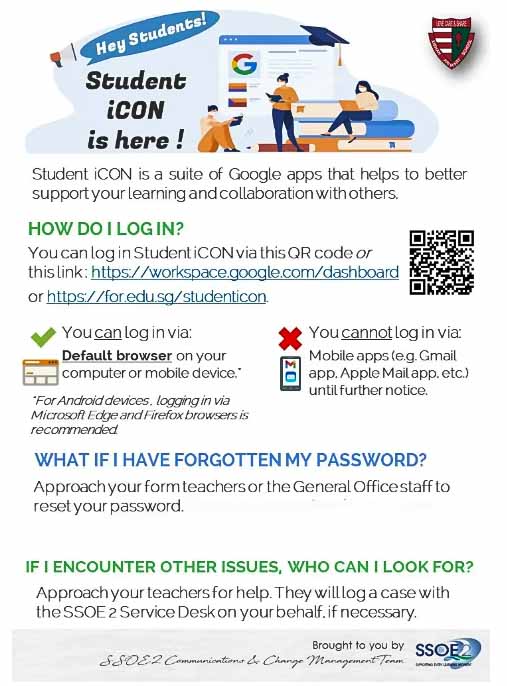
You can log in Student iCON via the QR code in the poster below or these link :
1) https://workspace.google.com/dashboard (opens in new tab)
2) https://for.edu.sg/studenticon (opens in new tab)
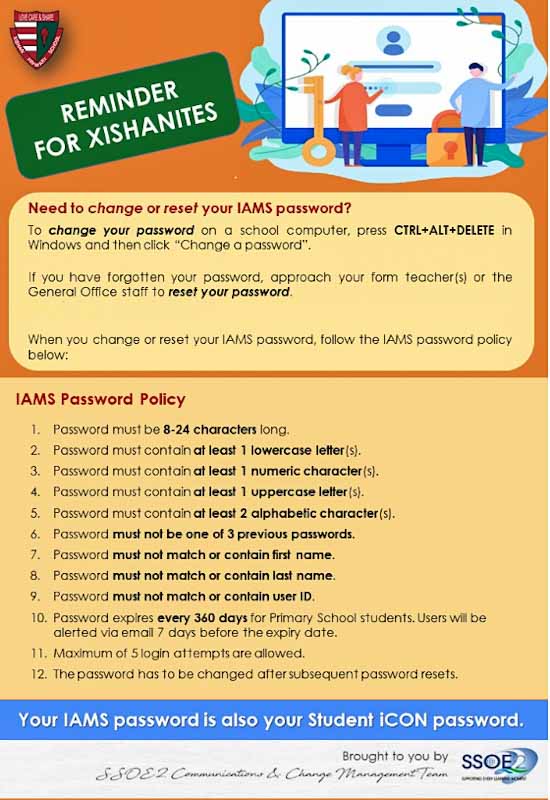
Setting Student iCON Password
Logging In To Your Email Account
.jpg)
.jpg)
.jpg)
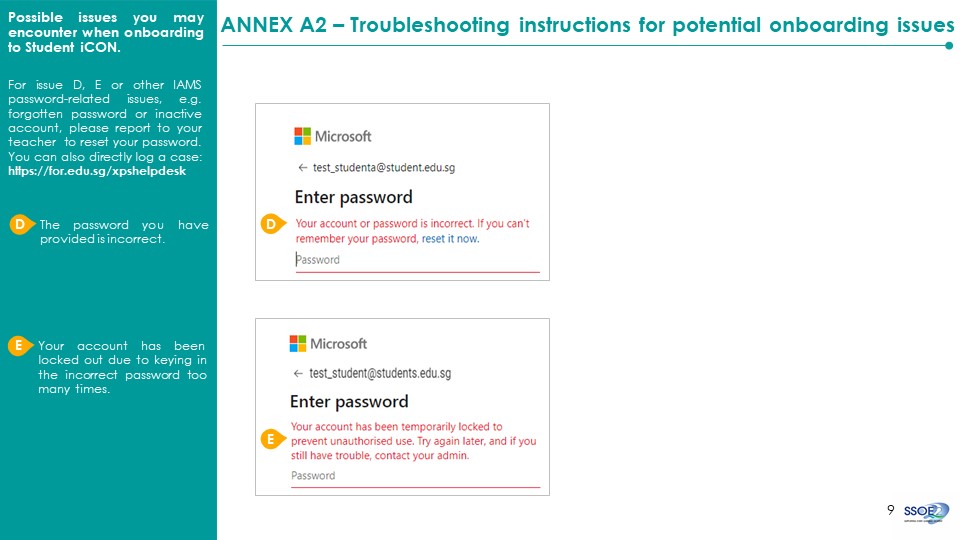
Troubleshooting Instructions For Potential Onboarding Issues
Resetting MIMS Password
If you have forgotten your password, you can approach your Form Teachers or the General Office staff to reset your password.
You can also seek assistance directly through ict@xps.edu.sg (opens in new tab).
Please let us have the full name and class of your child/ward for a smoother reset process.
Locked Accounts
If your child/ward still remembers the password but the account is locked due to multiple failed attempts, please inform us to unlock the account instead.
.jpg)